
Don’t let a new vulnerability be your next breach.
Instant CVE alerts for software you actually use.
Patch before attackers strike.
Don’t rely on luck to catch critical CVEs
Manually tracking CVEs is slow, frustrating, and ineffective. Endless lists of unrelated vulnerabilities make it hard to know what actually puts your systems at risk.
You find CVEs after attackers do
Manual searches and delayed alerts mean critical patches start hours or days late. When exploits are already circulating.
The signal is buried in noise
Engineers waste time scrolling RSS feeds, Discords, X, and newsletters, hoping a relevant CVE doesn’t slip past unnoticed.
Most CVEs don’t affect your stack
Thousands of CVEs are published but only a fraction apply to the software you actually run.
How Vigilant Helps
Start receiving CVE alerts tailored to your stack
Automated CVE monitoring that only notifies you about vulnerabilities that actually matter. No noise, no guesswork.
With Vigilant, you’ll know immediately when a new CVE is published that matches software you use, so you can patch before attackers exploit it.
⚡ Instant Awareness
Know the moment a relevant CVE is published. Continuous monitoring replaces manual periodic checks, with alerts triggered the second new CVEs appear.
🎯 Only What Matters
Filter new CVE's on your stack to ignore the noise.
🧘 Peace of Mind
Stop worrying about what you might have missed. No manual tracking, no scanning schedules, no guesswork.
🔔 Targeted Alerts
Notify the right person on the right channel with Vigilant's powerful notifications.
No credit card required · Setup in minutes
How Vigilant CVE monitoring works
Vigilant continuously scans newly published CVEs and matches them against keywords tied to your software stack, so you’re alerted as soon as an issue appears. Even when official CPE data hasn’t caught up yet or is incomplete.
Define your stack
Add keywords that represent the software you use, like WordPress, Ubuntu, nginx, or OpenSSL.
Choose how you’re notified
Connect your preferred notification channels and decide where CVE alerts should be delivered.
Get alerted instantly
When a new CVE matches any of your keywords, Vigilant sends you an alert so you can assess and patch immediately.
Get started for free by registering and enter your keywords.
Free 14 day trial
Screenshots
Take a quick look at CVE monitoring in Vigilant.
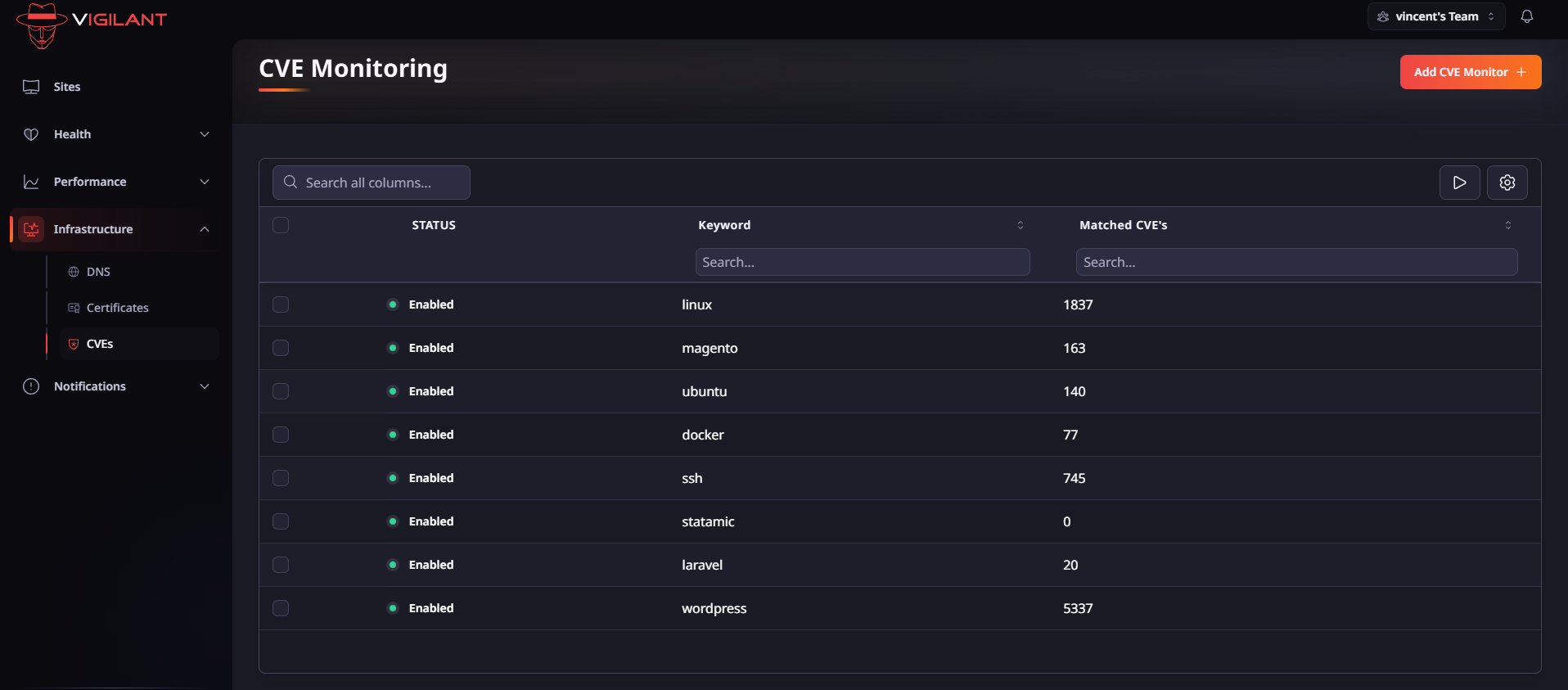
Overview
Overview of monitored keywords with matched
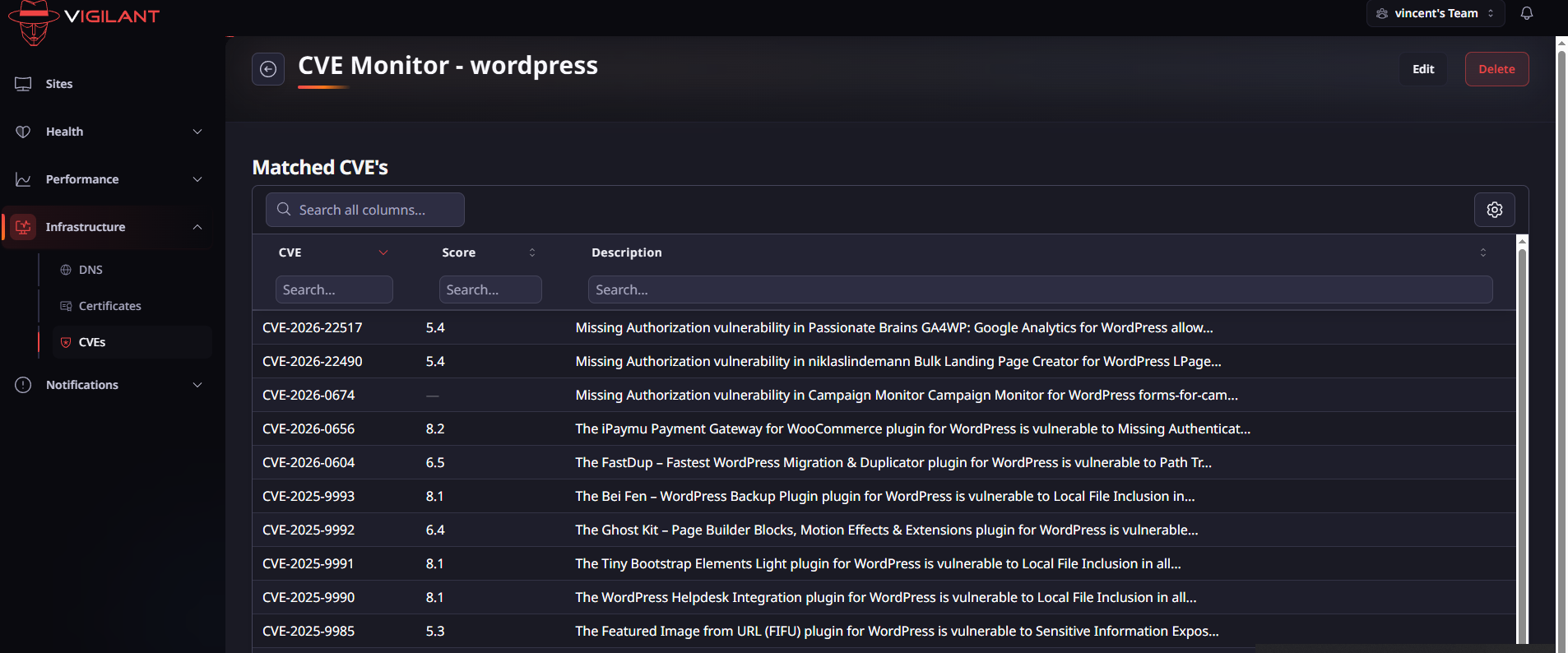
Results
Matched CVE's for a keyword
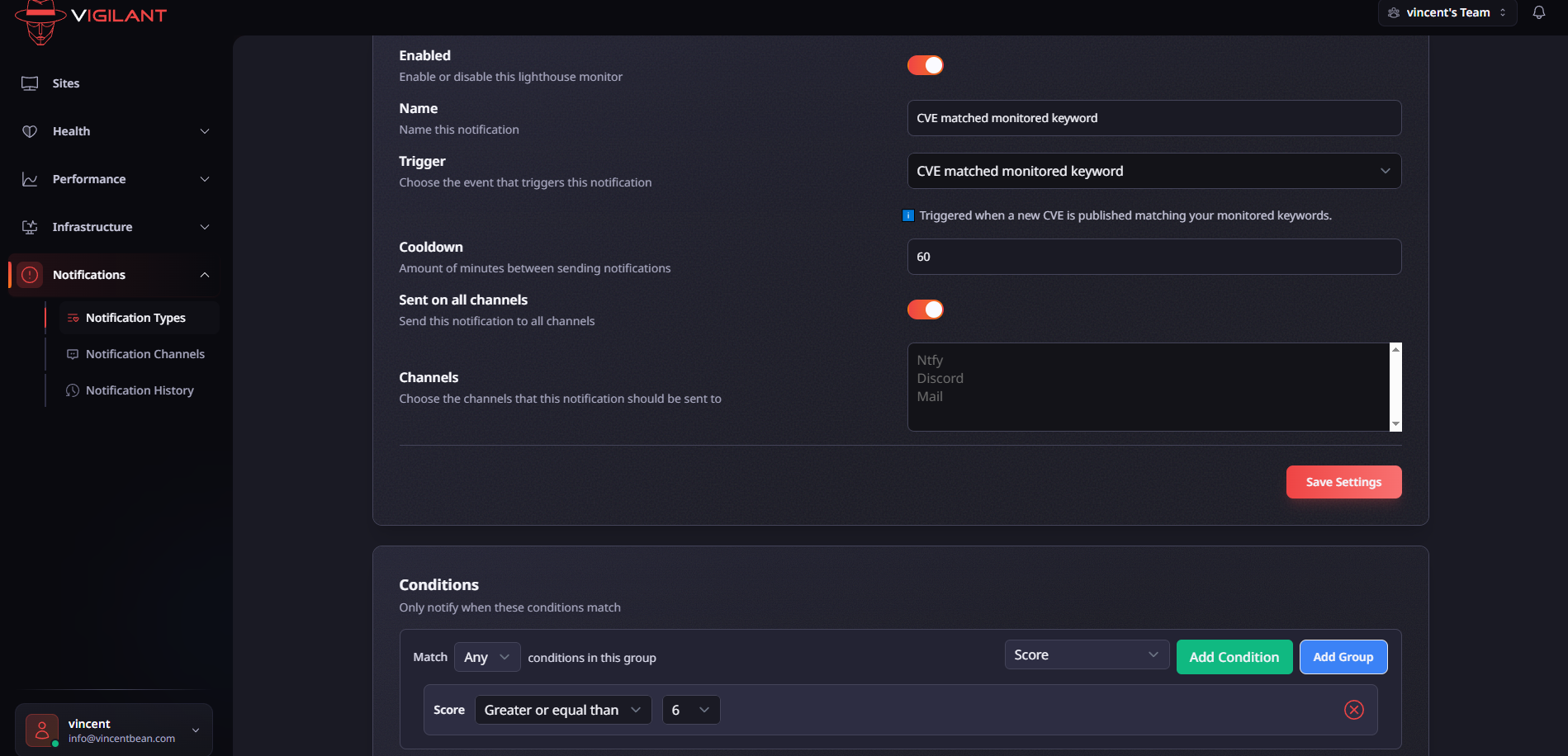
Notification
Choose where you want to get notified and configure your conditions to get a notification
Start monitoring CVEs in minutes.
No consultants. No weeks-long onboarding. Just start your free 14 day trial and enter your CVE keywords to start monitoring for new CVE's.
-
1
Create your account
30 secondsSign up for Vigilant and start your free trial - no credit card required.
-
2
Add your keywords
5 minutesDefine the software and technologies you want to monitor for new CVEs.
-
3
Setup notifications
1 minuteTell Vigilant where to send alerts so you never miss a critical vulnerability.
CVE monitoring FAQ
Clear up how Vigilant fits into your workflow before you even sign up.
What is CVE monitoring and why do I need it? +
CVE monitoring continuously watches for newly published Common Vulnerabilities and Exposures that could affect your software. Without automated monitoring, teams risk discovering critical issues too late — after attackers have already exploited them.
How often does Vigilant check for new CVEs? +
We poll NVD every thirty minutes.
How does Vigilant know which CVEs matter to me? +
You define the software and technologies you care about using keywords tied to your stack (e.g., WordPress, Ubuntu, nginx). Vigilant scans new CVEs in real time and sends alerts only when there’s a match, so you avoid noise.
Where will I receive alerts? +
Vigilant ships with a customizable notification system allowing you to route notifications to exactly where you need them.
How long does it get to setup? +
Most teams are fully monitoring CVEs in under 10 minutes.
What is Vigilant? +
Vigilant is an all-in-one monitoring applications designed for websites. It aims to monitor all aspect of your website, from uptime to performance and public infrastructure.
Get a grip on your entire website
Vigilant is designed to be the Vigilant guardian watching your website. Monitor all aspects of your website and go beyond the basics of web monitoring. From uptime, performance and broken links. Vigilant covers the things that most people miss.
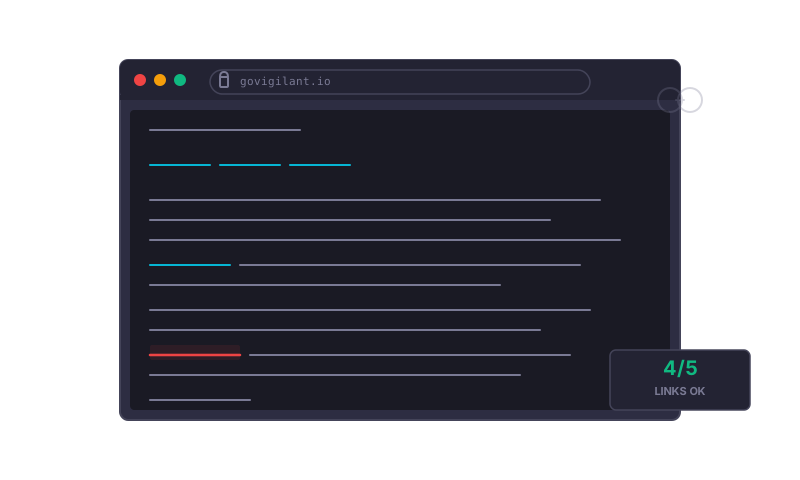
Uptime & latency
Downtime is not acceptable but when it happens you need to know about it.
Performance
Keep an eye on your website's performance and get notified of regressions.
Broken Links
Never let a customer click on a broken internal link, crawl your site and fix them before customers leave.
AI Powered Flows
Critical flows on your website are checked in a real browser with simple English instructions.
Enter your website and do a quick performance scan right away.
Get a quick and free scan of your website's latency, performance and public infrastructure.
What we check for you in this free scan:
- Uptime
- Latency
- DNS records
- Certificate
Free scan
Enter your domain and do a quick scan of your website.
No credit card required.