

I wanted to try Google ads for my SaaS Vigilant. Vigilant is an all-in-one website monitoring tool designed to go beyond uptime and also do things like find broken URLs on your website and check critical processes.
Running Google Ads with a low budget makes me not to waste any money. Last year I briefly tried it without any preparation, spent 50 euro and got zero results. This time I first studied how to setup Google Ads, read a lot, watched a lot of Youtube video's (Most of them from Ben Heath) and used ChatGPT to help me decide which feature to create ads for.
The goal of this experiment is to see how many people will sign up in the coming month and to test what works.
Preperation
The first time I tried ads I just sent people to my homepage, this page was unpolished and unoptimized back then so no wonder I did not get any results. Vigilant also was a lot less mature back then.
I learned that it is critical that the ad people click on matches the page they land on. This is also very logical, when you click an ad to buy bananas you and you get to a page that sells apples you won't stay there long. My initial thought was to use the feature pages I have but I learned that these won't work well for ads.
Then I chose two features to focus on, broken links and Lighthouse monitoring. I figured that these would have enough search volume for ads and are less competitive than uptime monitoring for example.
If you don't know, the broken links finder feature of Vigilant will scan your website and report all links that give a 404 or 500 error so customers never find them on their own. Lighthouse monitoring will run Google Lighthouse on a set schedule and alert you if the scores change.
So my next step is to create landing pages. After that I can create keywords per landing page and start running the ads!
Landing Pages
I started by creating landing pages and as a backend developer this was not easy. I tend to make text simple and technical but I had to shift my thought process from "What Vigilant does" to "How Vigilant solves the issue someone has". A simple example of this is "Automatically run Lighthouse" to "Know when Lighthouse scores drop". This changes the meaning from something the user can do themselves to an automated process that adds value to their workflow.
With the help of ChatGPT I ultimately came to the following structure, this took some iterations:
Hero - Should match the advertisement
Problem - What issue this feature solves
Comparison - Manual vs automated monitoring
Solution - How Vigilant monitors this feature
Setup - To indicate how easy it is to get started
Notifications - List of notification channels with familiar logo's (Slack, mail, teams etc)
Screenshots - To give the potential customer an idea how the application looks
Setup steps - Clear steps on how to set this up with
Pricing
FAQ - List of questions related to this feature
Full stack monitoring - To indicate that Vigilant does more than just monitor the feature for this page
I'm not going in detail on the landing pages now, you can view the final landing pages here:
CTA and setup flow
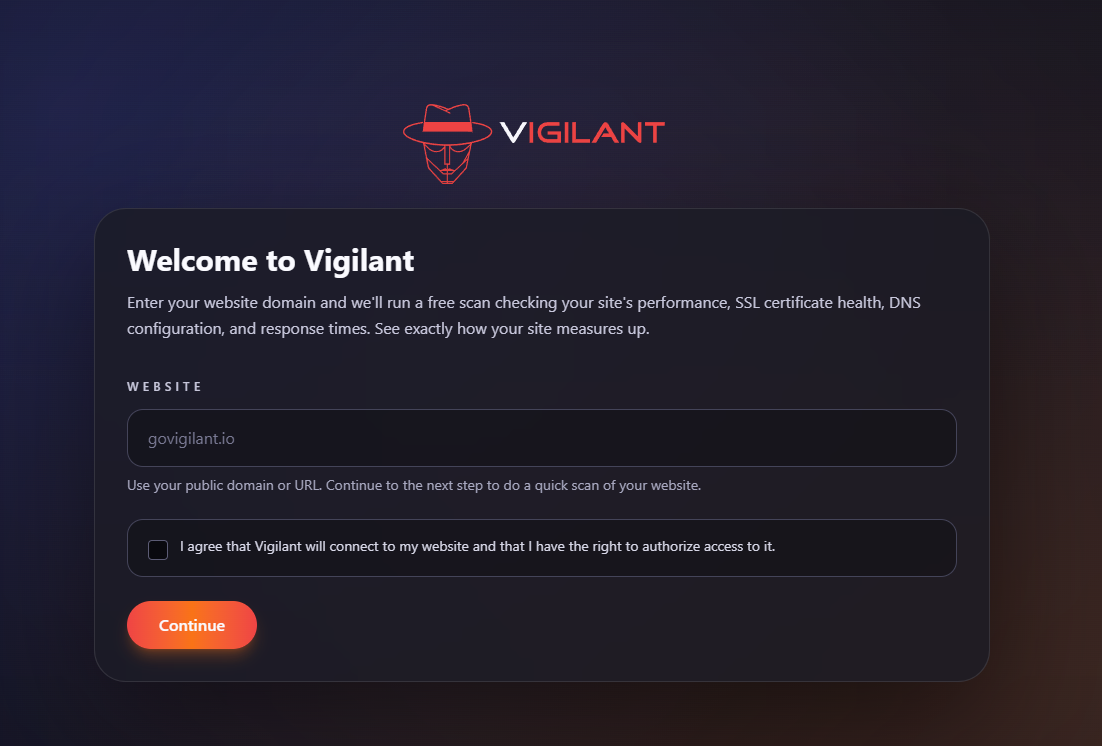
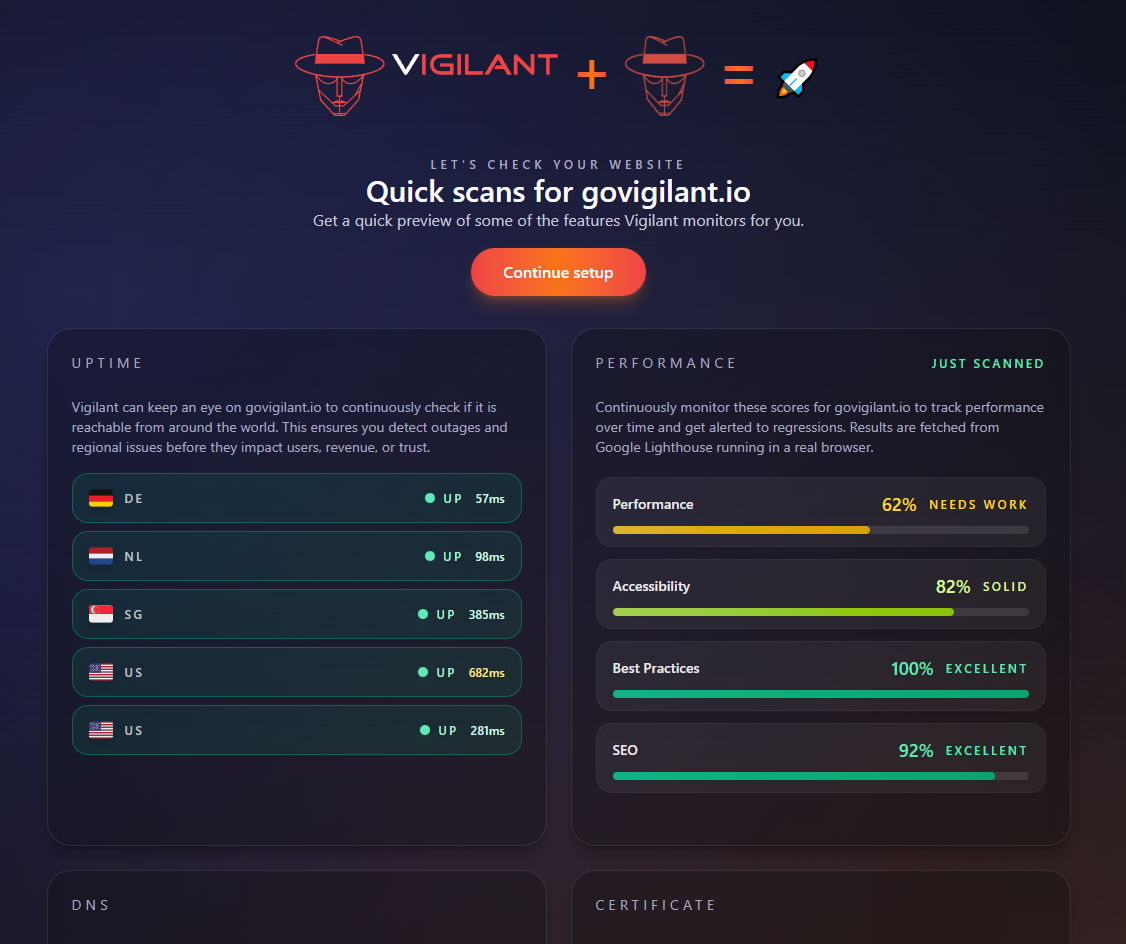
Initially I had a login / create account screen after you click on the Call To Action (CTA) button. After that you'd be greeted with an onboarding but I can imagine people leaving when they press the button "Start Monitoring" and first have to login. My goal is to directly add value here by allowing people to enter their website and get a quick and free scan of uptime, Lighthouse, DNS and their certificate.
This goes in three steps, first you enter your domain:
Then you get a quick overview of your website:
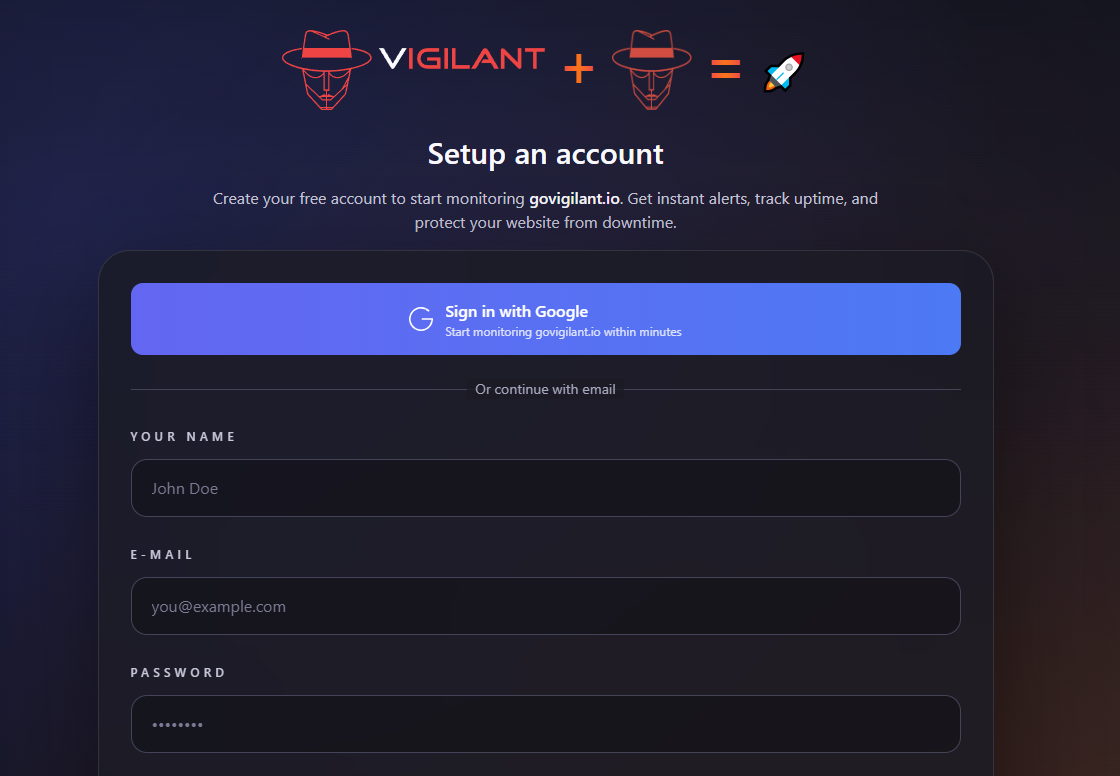
And finally you can create an account:
Tracking
I've integrated the Google Ads API to send events (cta click / trial started) to Google.
The Campaigns
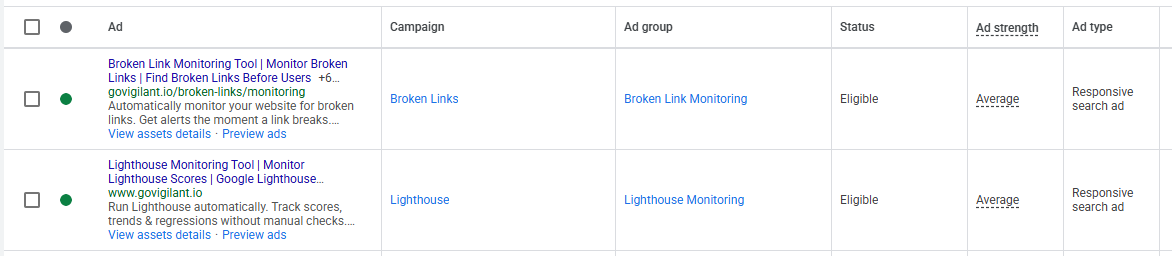
I created two campaigns, both with a budget of 8 euro per day.
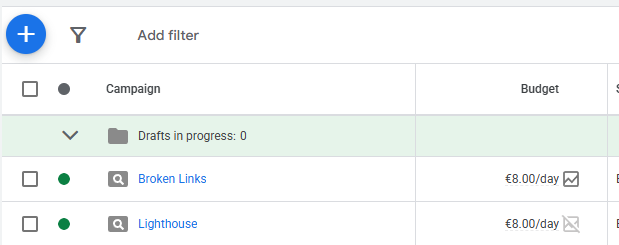
Due the the low budget I only had one ad per campaign. This ad did have multiple headlines and descriptions:
Here is a list of the keywords I used:
Broken Link Monitoring
"monitor broken links"
[broken link detection software]
[broken link monitoring tool]
[website broken link monitoring]
[broken link checker tool]
"find broken links on website"
[broken link monitor]
"broken link monitoring"
"broken link checker for website"
[broken link monitoring]
"broken link monitoring software"
Lighthouse
"lighthouse alerts"
[lighthouse alerts]
"alert when lighthouse score drops"
[lighthouse regression monitoring]
[lighthouse performance alerts]
[lighthouse score alerts]
"lighthouse score drop"
"lighthouse regression"
[lighthouse score monitoring]
[monitor lighthouse scores]
[lighthouse monitoring tool]
[google lighthouse monitoring]
[lighthouse monitoring service]
[automated google lighthouse]
[lighthouse regression monitoring]
[continuous lighthouse testing]
[automated lighthouse audits]
[lighthouse alerts]
[lighthouse monitoring]
I've also added a list of negative keywords such as 'free' and competitors.
Running the ads
The first day I noticed that although I had set the limit to 16 euro per day, it spent 30 euro. I learned that this is normal and your budget can be spent twice in a day but it will never exceed the monthly budget you set. It spent less the the days after it.
One of the mistakes I've made the first day was having a Lighthouse keyword set to broad match. Google was showing my ads when people where searching for the term Google Lighthouse. This is not at all what I want as it's too generic. I lost 6 euro on this and quickly changed my keyword a stricter match type.
Results
After a week I had spent 97 euro and got 66 clicks. Let's look where the money was spent and where the clicks came from. The CTR was 8.7% which is nice. Let's break this down into the two campaigns:
Campaign | Cost | CPC | CTR | Clicks |
Broken Links | € 47,36 | € 0,83 | 7,96% | 53 |
Lighthouse | € 50,11 | € 3,85 | 15,12% | 13 |
4 people signed up and one of them started their trial. Not quite what I was looking for but on the positive side, 24 people clicked on the CTA buttons which is around 36% from the total clicks. I'm really happy with that number because it means the landing pages are good enough. The people that created an account all came from the broken links campaign.
I pasted these results in ChatGPT to get some help deciding what to make of this, it said this:
Nice, thanks for the clean breakdown, that already tells me a lot. Short answer: for week 1, this is not bad, but there are a couple of clear signals about where the money should and shouldn’t go next.
For a B2B SaaS search campaign:
CTR >5% → strong relevance
CTR ~9% → very strong
CPC <€2 → healthy (especially in technical SaaS)
So from a traffic quality perspective: Google Ads is doing its job.
Your problem is not ad relevance.
Your problem is conversion efficiency + intent mismatch between campaigns.
So one positive from this is that my ads are good. Then on the broken links campaign it said:
🟢 Broken Links Campaign
€47 → 53 clicks → €0.89 CPC → 7.96% CTR
This is your hero campaign right now.
Why?
Sub-€1 CPC = gold for technical SaaS
Solid CTR = ads + keywords are aligned
High volume = Google likes this campaign
BUT: broken links is often a low-intent problem.
People Googling this may be:
SEOs
Devs looking for a free tool
People wanting a one-off fix
So it can drive volume… but not necessarily buyers.
👉 Expect lower trial starts, but good top-of-funnel.
Here I noticed that something is wrong, it told me top of funnel but in my mind I was targeting bottom of funnel. Something I need to fix. Finally on the Lighthouse campaign it said this:
🔴 Lighthouse Monitoring Campaign
€50 → 13 clicks → €3.85 CPC → 15.12% CTR
This tells a very different story.
What this means:
CTR 15% = extremely relevant ads
CPC ~€4 = competitive, high-intent keywords
Low volume = niche audience
This is buyer-intent traffic.
People searching Lighthouse monitoring are:
Already performance-aware
Likely managing production sites
Closer to paying money
The invalid keyword costing €6 sucks, but it’s noise, not the story.
👉 This campaign should convert better, not cheaper.
People are clicking the ads and continuing to my application, just not using it yet.
So to sum it up:
For week 1:
Ads: working
CTRs: excellent
CPCs: healthy
Funnel: leaky after signup
Lighthouse campaign: high-intent, under-optimized
You’re not “failing”. You’re early — and the data is actually clean.
I then chatted a bit more to clarify targeting and explain my sign up flow, I got this feedback:
this context helps a lot. And honestly? You’re doing several smart things already. The issue now is message–market–moment alignment, not mechanics.
Critical insight: broken links ≠ bottom-of-funnel (even if it feels like it)
This is the biggest misconception holding you back right now.
Broken links keywords feel bottom-of-funnel
But in reality they are often:
“Fix this once”
“Free checker”
“SEO audit task”
“Client asked me to check something”
These users:
Love the scan
Click CTAs
Rarely commit to monitoring
That perfectly matches your data:
All signups from broken links
None converted to active trial
They came for diagnosis, not ongoing vigilance.
Your product is monitoring.
Their intent is inspection.Mismatch.
Lighthouse campaign: why it didn’t convert (yet)
Here’s the paradox:
Lighthouse CTR = 15% → very high intent
CPC = €3.85 → serious users
Zero signups → not because they’re bad users
It’s because your landing page answers the wrong mental question.
Someone searching Lighthouse monitoring is asking:
“How do I make sure my performance doesn’t regress after deploys?”
But your current experience starts with:
“Run a scan”
They already know how to run Lighthouse.
They want:
History
Alerts
Regression detection
CI / production comparison
“Tell me when shit breaks”
If they land and think “ah, another scanner”, they bounce.
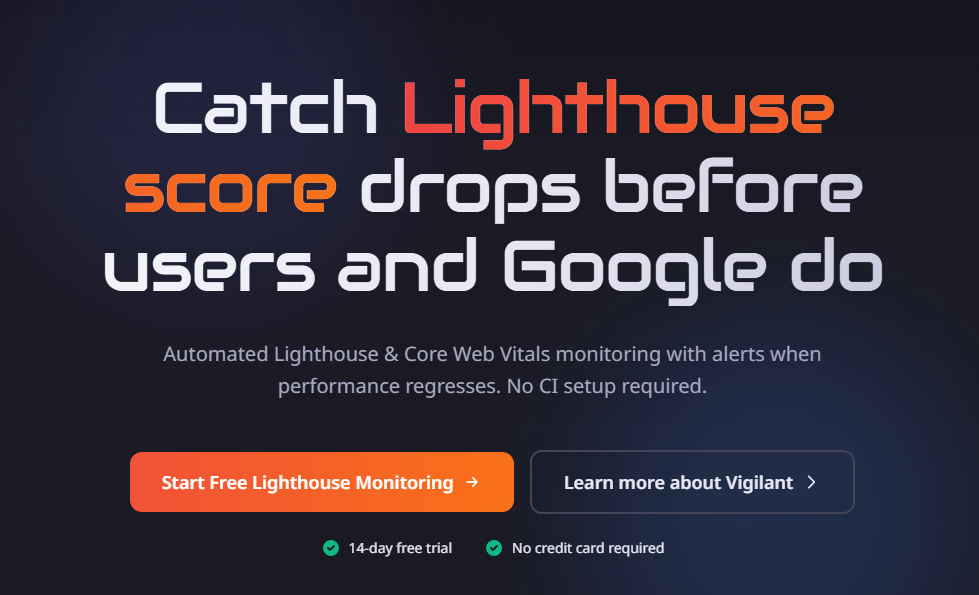
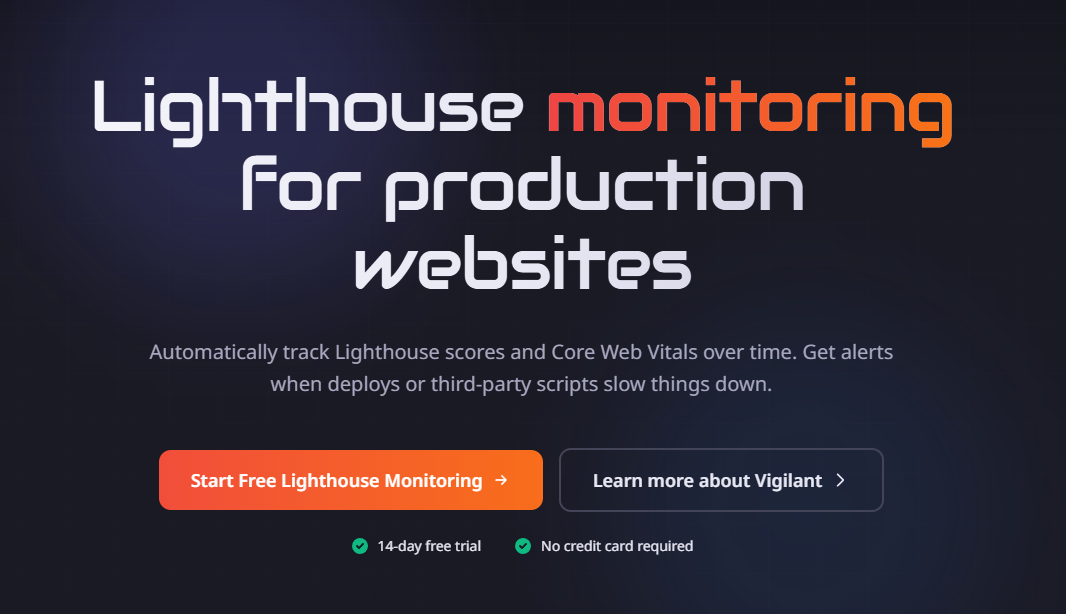
Based on this I changed the hero of the Lighthouse landing page from:
To
I'm also adjusting the keywords and reducing the budget of the broken links campaign for now as it's too high on the funnel.
For next week I will increase the Lighthouse budget and see how it goes. For now I think it's an okay start with good learnings to continue.