
Client Pages
Share live monitoring dashboards with clients through secure, branded pages.
Clients want to see how their website is performing, but giving them access to your monitoring dashboard is not an option. Manually collecting screenshots and metrics wastes time and looks unprofessional. Vigilant lets you create shareable, token-protected dashboard pages that display live monitoring data for a specific site. Your clients get a professional view of their website health, and you save hours of reporting work. Live data. Secure access. Zero effort.
Quick Overview
✓ Why do I need this?
Because your clients deserve transparency about their website health without you giving away access to your entire monitoring platform.
🔔 When will I be notified?
Your clients visit the page whenever they want.
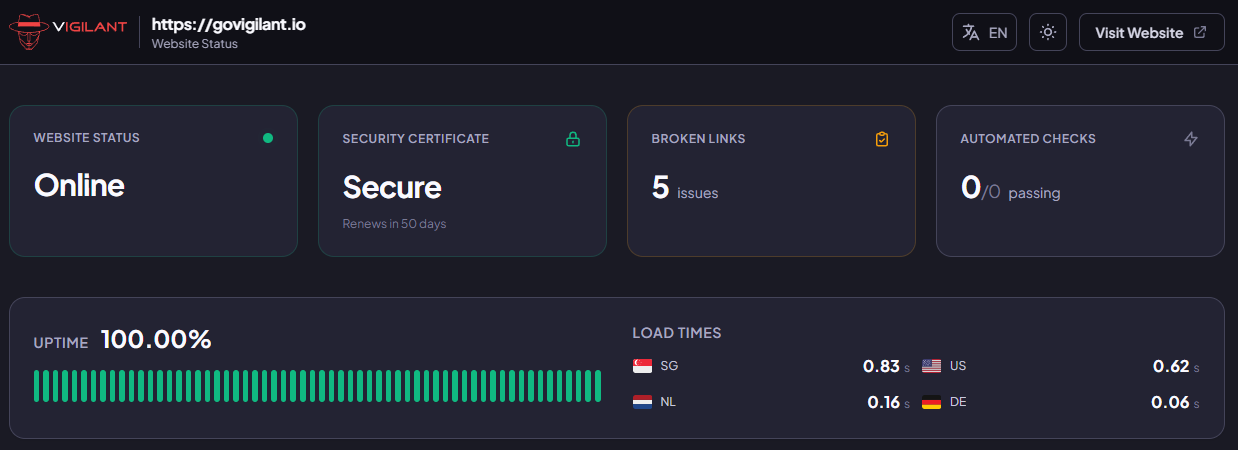
One Link, Full Visibility
Each client page has a unique, secure URL with a token. Share the link and your client instantly has access to a live dashboard showing uptime, performance, Lighthouse scores, flow results, crawler data and certificate status. No account creation, no passwords, no friction.
Your Brand, Their Dashboard
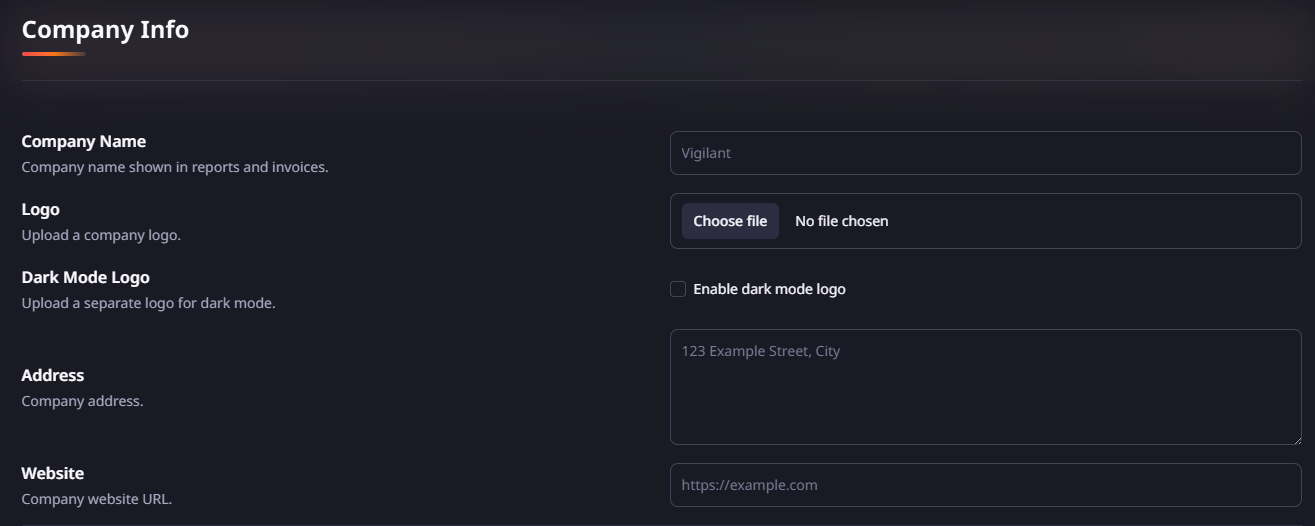
White label every client page with your own logo, company name and website through the company info settings. Upload both a light and dark logo variant and Vigilant automatically shows the right one based on the visitor's color scheme. Your clients see your brand, not ours.
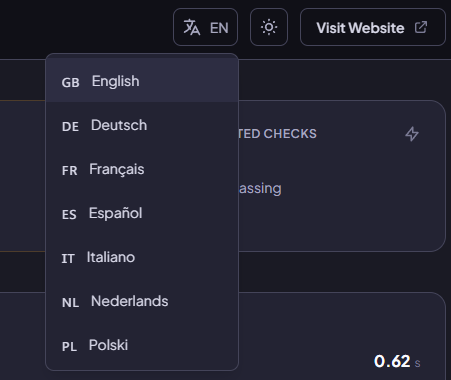
Speaks Their Language
Client pages automatically detect the visitor's browser language and display content in their preferred language. Visitors can also switch manually. Supported languages include English, Dutch, German, French, Spanish, Italian and Polish so your international clients always feel at home.
Full Control, Easy Management
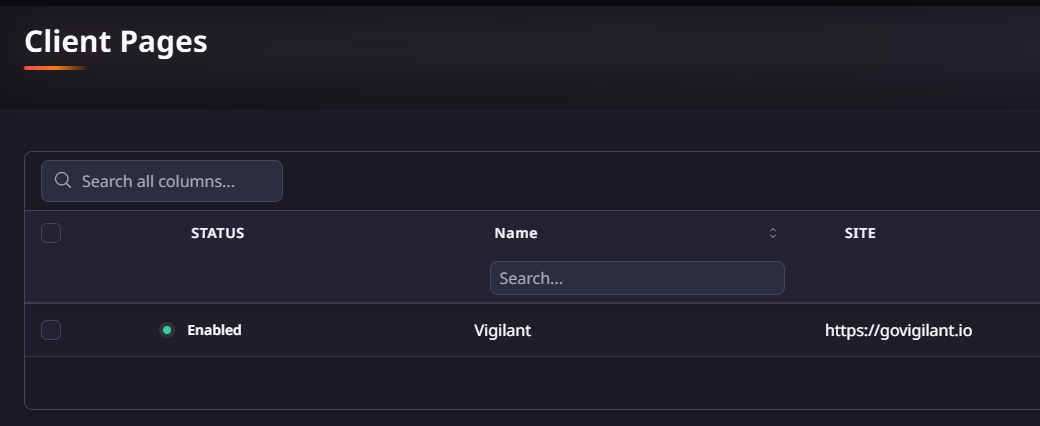
Enable or disable client pages with a single click. Manage all pages from one overview with search and bulk actions.
Start Monitoring within minutes.
Enter a client's domain and see what Vigilant monitors, setup takes just 2 minutes per site.
Vigilant comes with sensible defaults so onboarding new clients is effortless.
Enter your domain and do a quick scan of your website to see what Vigilant does.
Vigilant is designed to monitor all aspects of your website.
Check out some of the other features that help you keep your website running smoothly.
Reports
Keep clients and stakeholders informed with automated, branded PDF reports delivered on a schedule you control.
Uptime Monitor
Every minute offline costs you customers and revenue. Get instant alerts from global locations before customers notice and leave.
Lighthouse Monitoring
A 1-second delay kills 7% of conversions. Track performance automatically before slow pages drain your revenue.